Any File Downloader Pro
Filename:
File Type:
File Size:
Settings
Download History
Your download history is empty.
Powerful Direct File Downloader from URL
Experience a fast, reliable, and feature-rich way to download files with our free direct file downloader. Simply paste any direct link to a file, and our tool will handle the rest. With advanced features like pause/resume, speed limiting, and a full download history, it’s the only downloader you’ll need for saving files directly from the web.

How to Download a File from a URL
-
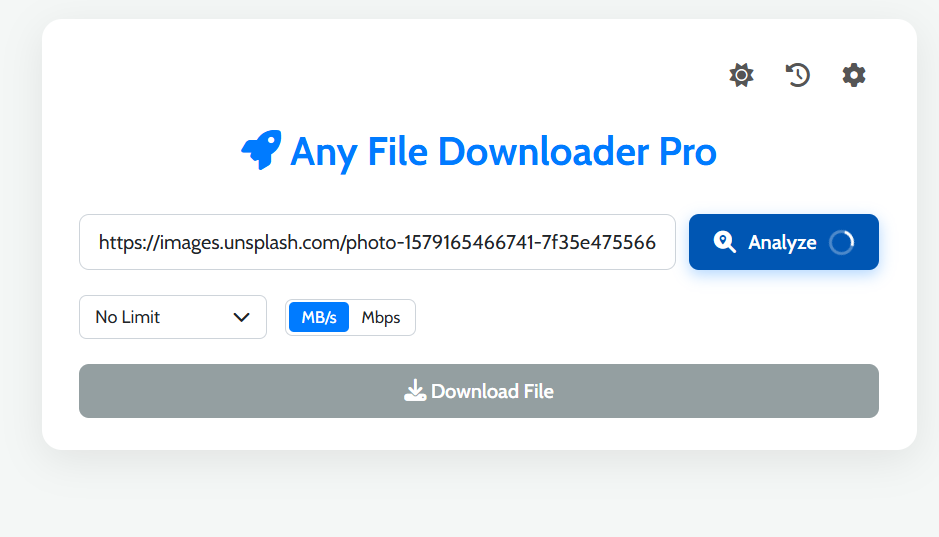
Paste Your File URL
First, copy the direct download link of the file you want to save and paste it into the URL input field.
-
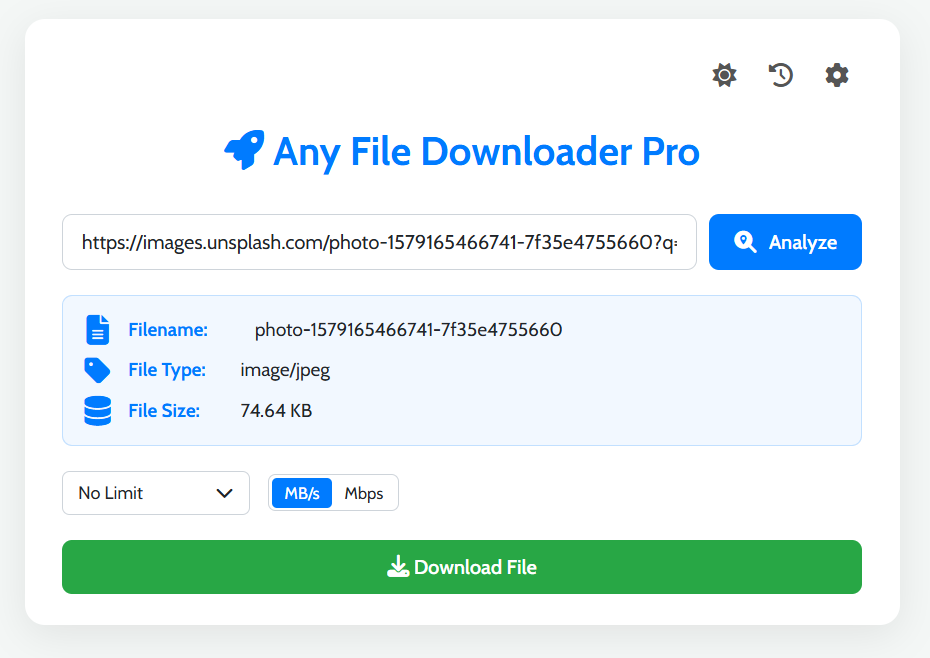
Analyze the File
Next, click the “Analyze” button. The tool will fetch the file’s details, such as its name, type, and size, and display them for your review.
-
Start and Monitor Your Download
Finally, click the “Download” button. You can monitor the progress with live stats, pause the download if needed, and a preview will be shown for supported file types.

Key Features of Our File Downloader
Pause & Resume Support
Don’t lose your progress. Our downloader supports pausing and resuming, so you can stop a large download and continue later without starting over.
Download Speed Control
Manage your bandwidth by setting a custom speed limit. Perfect for when you’re multitasking and need to keep your internet connection free for other activities.
Instant File Analysis
Before you download, our tool analyzes the link to show you the filename, file type, and total size, so you always know what you’re downloading.
Complete Download History
Keep track of every file you’ve downloaded. Our history panel saves a record of your downloads, allowing you to easily re-download any file with a single click.
Ideal Use Cases for the Downloader
For Professionals & Developers
Quickly download software installers, large datasets, code repositories from direct links, or project assets shared by colleagues without needing to open a browser tab for each one.
For Creatives & Hobbyists
Save high-resolution stock photos, video clips, audio files, or large design templates (like PSDs or ZIP archives) directly from their source URLs with full control over the download process.
Frequently Asked Questions
What is a “direct” file URL?
A direct file URL is a link that points straight to the file itself (e.g., ending in .zip, .mp3, .jpg), rather than a webpage that contains the file (like a YouTube or Facebook page). Our tool is designed to work with these direct links.
Is it safe to download files with this tool?
Yes, our tool is simply a powerful interface for your browser’s own download engine. It does not alter the files in any way. However, you should always be cautious and only download files from websites you trust. We recommend having antivirus software active on your computer.
Why can’t I download videos from sites like YouTube?
Our direct file downloader is not designed to bypass the terms of service of video streaming platforms. These sites use specialized protocols, and downloading their content often requires dedicated tools and may violate their policies. We encourage users to respect copyright and platform rules.
Explore Our Other Tools
After using our direct file downloader, you might need to work with your saved files. Try our Image Converter to change formats or our Image Compressor to reduce file size. For a full list of our utilities, visit our main Tools page.