Free Batch URL Opener – Open Multiple Links at Once
Save time and effort by opening multiple website links simultaneously with our free and easy-to-use batch URL opener. Simply paste a list of URLs, and with a single click, our tool will open each one in a new browser tab. It’s the perfect utility for researchers, marketers, and anyone who needs to access many websites quickly.
Key Features of Our URL Opener
Simple List Pasting
Paste any number of URLs, with each link on a new line. Our tool automatically cleans and validates your list.
One-Click Operation
After pasting your list, a single click is all it takes to launch every URL in a separate new tab.
Smart Popup Guidance
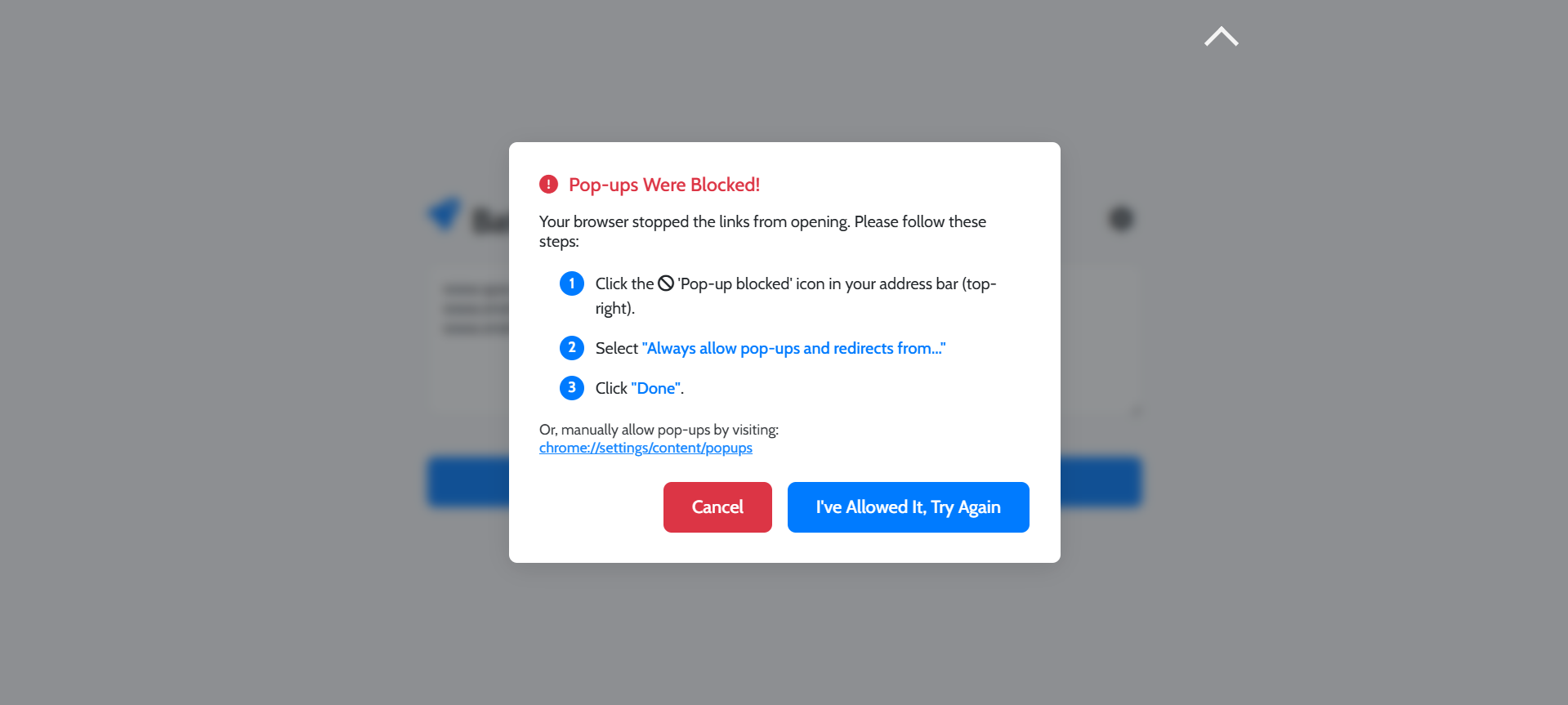
If your browser blocks the pop-ups, our tool provides a helpful guide to show you exactly how to allow them.
Advanced Control
Use the settings to confirm each link before opening, set a maximum number of tabs, or clear the list after use.
How to Open Multiple URLs
Using our batch URL opener is incredibly simple. Follow these steps:
-
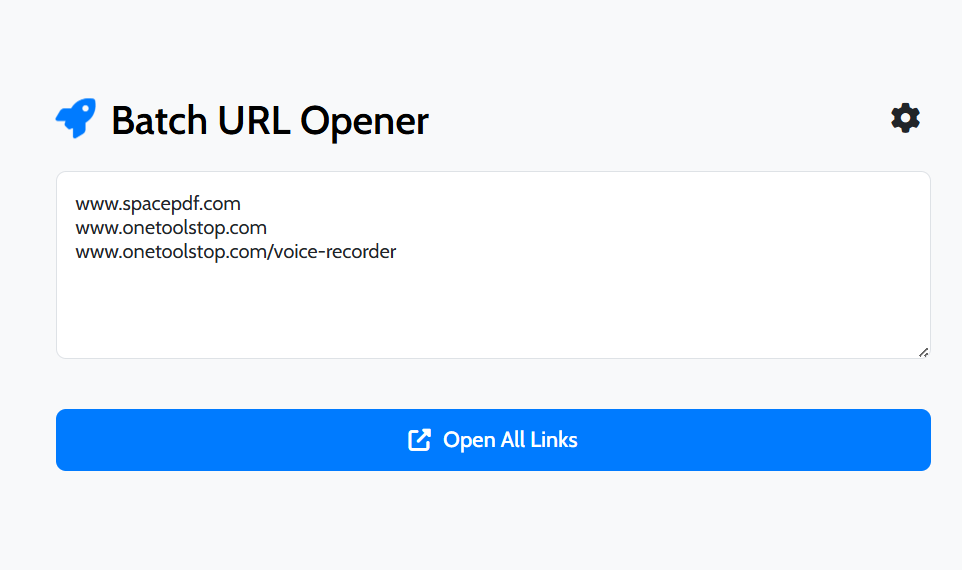
Paste Your List of URLs
Copy your list of website links and paste them into the large text area. Make sure there is only one URL per line.
-
Click “Open All Links”
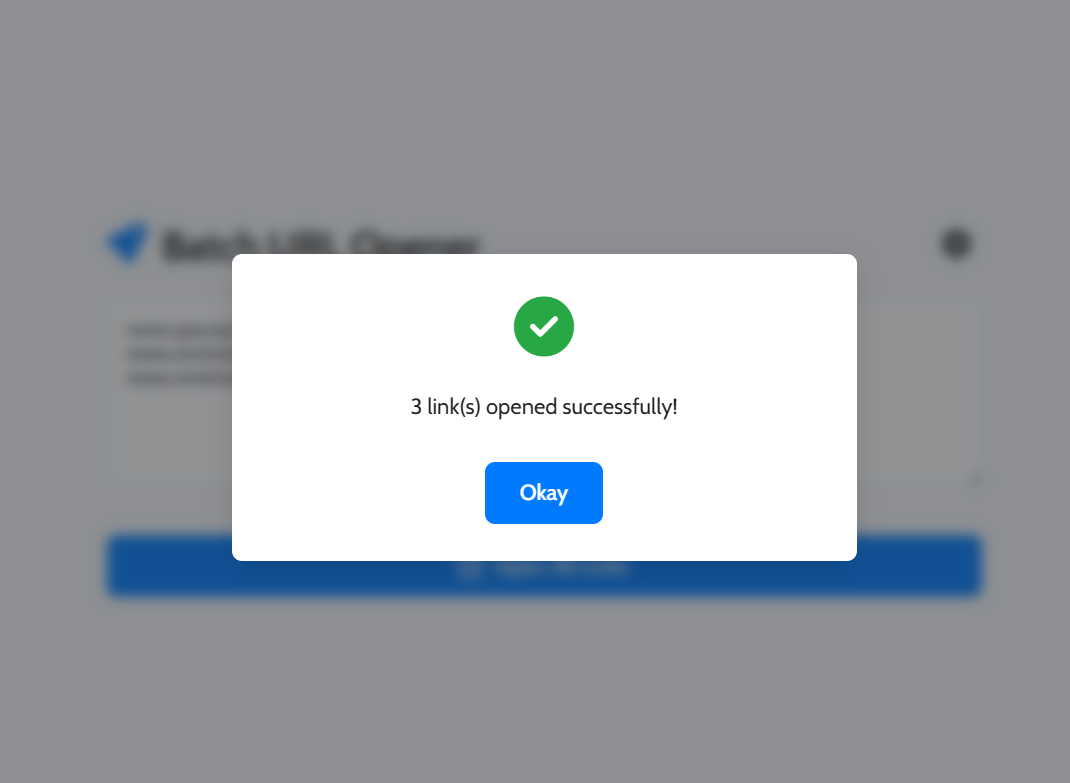
Simply click the main “Open All Links” button to start the process.
-
Allow Pop-ups if Prompted
If it’s your first time, your browser may block the tabs. Our guided help will show you how to allow pop-ups for our site.
Who is this Tool For?
For SEOs & Researchers
Quickly open a list of competitor websites, research articles, or backlink sources from a spreadsheet without manual clicking.
For Social Media Managers
Open all your social media profiles, analytics pages, or a list of posts you need to check in one go, streamlining your daily workflow.
Frequently Asked Questions
Why did my browser block the links?
Modern browsers block multiple tabs (pop-ups) by default as a security measure. You need to grant one-time permission. Our guided help will show you how.
Is there a limit to how many URLs I can open?
While our tool has no limit, opening too many tabs can slow down your computer. We recommend opening links in manageable batches for best performance.
Does this tool save my list of URLs?
No. For your privacy, our batch URL opener is a client-side tool. Your list of URLs is never sent to our servers or saved after you close the page.
Explore Our Other Tools
After using our URL opener, explore our other utilities like our Custom QR Code Generator or our Direct File Downloader. Check out our main Tools page for the full collection.